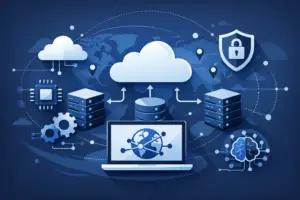
A 2 a.m. alert stops being just a notification once your team has to decide whether to scale a service, restart a workload, block suspicious traffic, or do nothing. This is where ai ops workflows start to matter. Not as a futuristic add-on, but as a practical way to reduce repetitive decisions, shorten response time, and give technical teams a cleaner path from signal to action.
For most teams, the problem is not a lack of tools. It is the growing distance between observability, infrastructure control, and the people responsible for uptime. Metrics live in one system, deployment logs in another, firewall rules somewhere else, and the runbook still depends on someone remembering the right sequence under pressure. AI can help, but only if it is wired into operations in a way that is structured, auditable, and useful.
What ai ops workflows actually mean
The phrase gets overused, so it helps to make it concrete. AI ops workflows are operational processes where AI assists with detection, investigation, decision support, or execution inside infrastructure and application management. Sometimes the AI only summarizes what is happening. Sometimes it recommends the next step. In more mature setups, it can trigger approved actions through APIs or connected tools.
That distinction matters. A workflow that classifies alerts and drafts an incident note is very different from one that scales servers or updates DNS records automatically. Both count, but they carry different levels of risk, governance, and operational value.
The best use cases usually start in the middle. Not fully manual, and not fully autonomous. A good workflow might detect an unusual CPU pattern, compare it against recent deploys, surface likely causes, and prepare an action for human approval. That saves time without handing critical infrastructure decisions to a black box.
Why teams adopt AI ops workflows now
Cloud operations have become more fragmented. Even smaller teams are running distributed apps, scheduled jobs, containerized services, managed databases, edge security controls, and multiple deployment environments. The old model of checking dashboards and responding manually still works, but only up to a point.
Once systems grow, the operational tax becomes obvious. Engineers spend too much time triaging noisy alerts, repeating low-value tasks, and switching between tools just to confirm what changed. Startup teams feel this early because they need enterprise-grade uptime without enterprise headcount. DevOps teams feel it even more because they are expected to improve delivery speed and operational control at the same time.
AI helps by compressing that operational loop. It can correlate signals faster than a human, summarize context across systems, and make infrastructure interfaces easier to use. That last point is easy to miss. A lot of operational work is not hard because the logic is complicated. It is hard because execution is fragmented. Querying resources, checking server state, reviewing network settings, and preparing a response often takes longer than the decision itself.
Where ai ops workflows create the most value
The biggest gains usually come from workflows that are frequent, structured, and time-sensitive.
Incident triage is an obvious candidate. When an alert fires, AI can gather system metrics, recent configuration changes, deployment history, and event patterns into a single view. That reduces the first ten minutes of confusion that often define incident response.
Capacity and scaling decisions are another strong fit. AI can detect repeated demand patterns, highlight underused resources, or recommend when to scale compute based on actual behavior instead of static thresholds. It will not replace engineering judgment, but it can cut guesswork.
Security operations also benefit, especially when the workflow involves pattern recognition and response preparation. For example, AI can flag abnormal traffic behavior, suggest whether it looks like bot abuse or a DDoS event, and prepare an action sequence involving firewall rules, traffic filtering, or CDN-level controls.
Routine infrastructure management is where teams often see the fastest return. Server status checks, usage reviews, DNS lookups, config comparisons, and common provisioning tasks are repetitive enough to automate but important enough to do consistently. This is where connected AI workflows become more than chatbot experiments.
The real design rule: keep the action path tight
A useful AI workflow is not just a smart prompt. It needs a clear action path.
That means the AI should have access to the right operational context, a defined set of actions it can support, and guardrails around what happens next. If the output is only a generic recommendation with no path to execution, teams still end up doing manual work across multiple systems.
A tighter design looks different. The AI receives telemetry or a question, checks the available infrastructure state, applies a known policy or pattern, and either returns a recommendation or executes an approved action through an API. The more direct that loop is, the more practical the workflow becomes.
This is one reason MCP-based approaches are gaining attention. When AI tools can connect to infrastructure resources through a controlled server layer, they can do more than generate text. They can query real cloud objects, inspect current states, and support actions grounded in live environment data. For teams using the LetsCloud MCP Server, that creates a more direct way to connect AI tools to operational tasks without building every integration from scratch.
What to automate first and what to leave alone
Not every operational process should be handed to AI. The fastest way to lose trust is to automate the wrong thing too early.
Start with workflows where the inputs are clear and the acceptable outputs are narrow. Resource inventory, usage analysis, alert enrichment, incident summarization, environment checks, and guided provisioning are all good early candidates. These tasks are repetitive, measurable, and easy to review.
Be more careful with destructive or customer-visible actions. Deleting infrastructure, changing security policies, modifying production routing, or restarting critical services without approval can create more problems than they solve. In those cases, AI should assist with analysis and preparation first, then move toward controlled execution only after the team has confidence in the workflow.
There is also a practical trade-off between speed and explainability. A workflow that saves three minutes but produces unclear reasoning may not be worth it in a high-stakes environment. Technical teams need to understand why a recommendation was made, especially when uptime, security, or cost is involved.
Building ai ops workflows without adding complexity
This is where many teams get stuck. They want AI-assisted operations, but they do not want another oversized platform, another billing layer, or another system to maintain.
A simpler approach is to build around the interfaces you already trust. If your infrastructure is manageable through an API, and your operational logic already exists in scripts, runbooks, and approvals, AI can sit on top of that foundation rather than replacing it. The goal is not to rebuild operations around AI. The goal is to make existing operations faster and easier to execute.
In practice, that means choosing a few narrow workflows and connecting them to real infrastructure controls. Ask questions like: Can the AI inspect server status? Can it compare environments? Can it help provision a new instance? Can it identify when a spike needs scaling versus when it looks like abusive traffic? Can it prepare a safe action and wait for approval?
When the answer is yes, the workflow starts becoming operationally useful instead of performative.
The governance piece teams should not skip
AI in cloud operations needs boundaries. That is not bureaucracy. It is what makes automation sustainable.
Teams should define which actions are read-only, which require approval, and which are safe to automate outright. They should log what the AI saw, what it recommended, what action was taken, and who approved it if approval was required. This matters for reliability, internal trust, and post-incident analysis.
It also helps to define rollback expectations up front. If an AI-assisted scaling action or rule change causes side effects, the team should know how to reverse it immediately. Good AI ops workflows reduce pressure. They should not create new uncertainty during an incident.
What success looks like
Success is not a fully autonomous NOC. For most teams, success is more practical than that.
It looks like fewer manual checks before action. Faster incident triage. Less context switching between tools. Better consistency in routine operations. More confidence that infrastructure questions can be answered quickly, and common actions can be prepared or executed without wasting engineering time.
That is especially valuable for startups and lean DevOps teams. When every engineer is split between shipping product and keeping systems healthy, operational efficiency is not a nice-to-have. It directly affects delivery speed.
AI will not fix unclear architecture, weak monitoring, or bad runbooks. But with the right interfaces and guardrails, it can remove a lot of repetitive work from cloud operations. That is the real promise of ai ops workflows: not replacing operators, but helping technical teams move from alert to informed action with less friction and more control.
The smartest next step is usually a small one. Pick a workflow your team already repeats every week, connect it to real infrastructure data, and make it faster without giving up control.