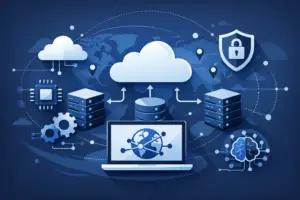
Cloud operations usually break down at the same point: the infrastructure is programmable, but the workflow around it still depends on people translating intent into API calls, dashboard clicks, and repetitive runbooks. That is exactly where an mcp server for cloud infrastructure starts to matter. It gives AI tools a controlled way to understand your environment, request actions, and turn plain-language operational intent into useful cloud work.
For developers and DevOps teams, that changes the shape of day-to-day tasks. Instead of jumping between docs, scripts, terminals, and control panels, you can bring infrastructure tasks into the same AI-assisted workflow you already use for coding, troubleshooting, and planning. The result is not magic. It is faster context, fewer manual steps, and a more direct path from question to action.
What an MCP server for cloud infrastructure actually does
At a practical level, an MCP server acts as a bridge between an AI client and your cloud platform. The AI tool can query available resources, inspect infrastructure state, and trigger approved operations through a defined interface. That matters because cloud environments are full of structured objects – instances, firewalls, DNS zones, backups, regions, images, and network settings – and AI systems are much more useful when they can work with real infrastructure data instead of generic assumptions.
Without that bridge, an AI assistant can still explain concepts or draft commands, but it has no direct awareness of your actual cloud resources. With an MCP server in place, the assistant can operate with context. It can answer questions like which servers are running in a specific region, help compare deployment choices, or guide a team through operational tasks based on live infrastructure information.
This is especially useful for teams that want AI to be part of their cloud workflow without giving up control. An MCP-based approach creates a structured layer between the model and the platform. That is a better fit for infrastructure than free-form automation because cloud operations need guardrails, visibility, and predictable behavior.
Why teams are adopting an MCP server for cloud infrastructure
The appeal is simple: infrastructure work has too much friction. Provisioning a server is not hard. Remembering the right image, region, firewall setup, naming convention, backup policy, and follow-up checks is where time gets lost.
An MCP server reduces that friction by making cloud operations easier to query and easier to automate through AI-native tools. A developer can ask for a summary of available server plans for a staging environment. A DevOps engineer can check what protections are active before exposing a new service. A startup team can compare deployment options without manually parsing every menu and API reference.
There is also a speed advantage. Technical teams already use AI for code generation, debugging, and documentation. Infrastructure is the next obvious layer. If your AI workflow can also inspect cloud resources and help carry out routine operations, the handoff between development and operations gets tighter.
That said, speed is only useful when it does not create risk. The value of an MCP setup depends on how well it limits actions, exposes permissions, and keeps infrastructure changes understandable. For sensitive production environments, most teams will still want approval steps around destructive actions. For lower-risk environments like development, staging, or internal testing, more direct automation may make sense.
Where it fits in real cloud workflows
The strongest use cases are the boring ones. Not because they are glamorous, but because they consume real time every week.
A team spinning up test infrastructure can ask an AI tool to identify a suitable server configuration, deploy it in the right region, and confirm the instance is active. A site owner troubleshooting latency can query hosting location, network settings, and related performance factors without manually searching across multiple tools. A DevOps team can inspect firewall status, check whether DDoS protection is enabled, or verify resource state before a deployment window.
This model also helps with operational discovery. Many small and mid-sized teams do not have perfect infrastructure documentation. AI connected through MCP can serve as a practical interface for learning what exists, how it is configured, and what actions are available. That is valuable for onboarding, audits, and reducing knowledge silos.
In an API-driven cloud environment, the MCP server becomes a more natural control point than a dashboard alone. Dashboards are good for visibility. APIs are good for automation. MCP adds a conversational and context-aware layer that makes both easier to use in modern workflows.
The trade-offs behind AI-powered infrastructure control
There is real upside here, but it is not a blanket replacement for existing cloud practices. An MCP server for cloud infrastructure works best as an interface layer, not as a substitute for infrastructure design, security policy, or observability.
The first trade-off is precision. Natural language is convenient, but infrastructure needs exactness. If a request is vague, the system needs enough context and permission boundaries to avoid unsafe assumptions. Teams should expect better results when they define naming standards, standard deployment patterns, and clear operational scopes.
The second trade-off is trust. AI can help decide, suggest, and execute, but production operations still need confidence. That means logging, permission controls, and a deliberate rollout path. Start with read-heavy tasks such as listing resources, summarizing configuration, and checking state. Then expand toward bounded actions like provisioning development servers or updating low-risk settings.
The third trade-off is cultural. Some teams will adopt AI-assisted infrastructure quickly because they already work through APIs and automation. Others will move slower because they rely on manual review or have stricter compliance requirements. Neither approach is wrong. The right pace depends on system criticality, team maturity, and how comfortable your organization is with AI inside operational workflows.
What to look for in an MCP-enabled cloud platform
If you are evaluating this approach, the MCP layer is only part of the picture. The cloud platform itself still matters.
You want infrastructure that is fast to deploy, easy to manage through API and dashboard, and predictable on cost. AI assistance loses value if the underlying platform is slow, confusing, or fragmented. The best setup is one where the MCP server sits on top of cloud services that already make operational sense: compute, networking, DNS, security controls, and automation endpoints that are clearly exposed.
Performance and geography also matter more than they may seem. If your team is using AI to provision workloads globally, the provider needs enough regional flexibility to match real deployment needs. The same goes for security. If the platform includes tools like firewall controls, DDoS protection, and CDN capabilities, AI-driven workflows become more useful because they can reference and help manage the services that actually protect applications.
This is where a provider like LetsCloud fits naturally. The value is not just that there is an MCP Server available. It is that the MCP layer sits alongside fast cloud servers, API-driven management, security services, global deployment options, and transparent monthly pricing. That combination makes AI-assisted infrastructure practical instead of experimental.
How to adopt MCP without making operations messy
The best way to start is narrow. Pick one or two workflows where the cost of manual effort is high and the operational risk is low. Development environment provisioning is a common first step. Infrastructure discovery is another. So is routine status checking across compute, DNS, or firewall configuration.
From there, define what the AI tool should be allowed to do. Read access is a strong starting point because it gives teams immediate value without opening the door to accidental changes. Once that is stable, you can add limited write actions for non-production tasks.
It also helps to treat MCP as part of your existing operational model, not a side experiment. Document approved prompts or workflow patterns. Decide which tasks need confirmation. Make sure the same resource naming and environment conventions used in your API and dashboard workflows also apply here. The cleaner your infrastructure hygiene, the better the AI layer performs.
Most of all, keep expectations grounded. An MCP server does not replace cloud architecture skills. It reduces friction around accessing and acting on infrastructure. That is a meaningful shift, especially for lean teams, but it works best when paired with clear systems, sane permissions, and a platform built for automation from the start.
Cloud management is moving closer to the way developers already work – conversational, API-connected, and automation-first. The teams that benefit most will not be the ones chasing novelty. They will be the ones using AI to remove repetitive operational drag while keeping infrastructure fast, visible, and under control.